Fix The dimensions of one or more screenshots are wrong
What App Store Connect's screenshot errors mean, the usual causes and the exact fix. Drop the file in and see what's off.
The short answer
Your file isn't exactly one of the sizes App Store Connect accepts for that slot. Not one pixel more or less, and pixels, not points.
The four usual causes
| Cause | What you see | Fix |
|---|---|---|
| A few pixels off | For example 1206 × 2620 after cropping, or a size a design tool rounded | Export again at exactly 1206 × 2622, or bring the file to size with the free screenshot resizer. |
| Exported at 2× or 3× | 2412 × 5244 instead of 1206 × 2622 | Export at 1×. A frame that is already 1206 × 2622 pixels must not be scaled again. |
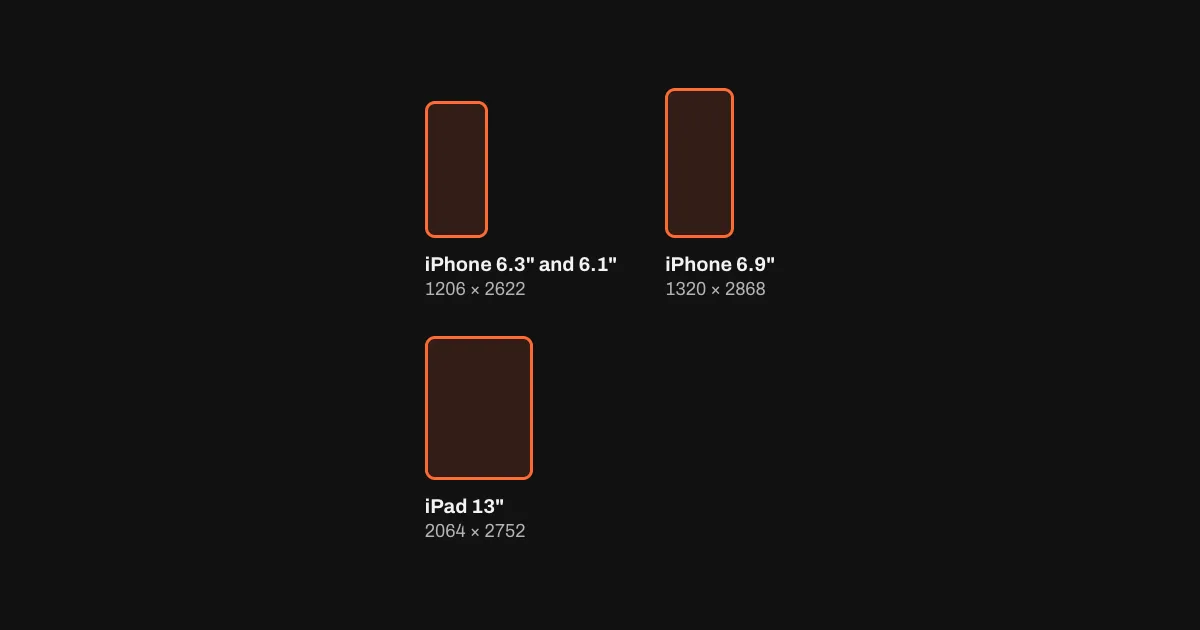
| A screenshot from a bigger iPhone | A simulator shot from an iPhone 17 Pro Max or iPhone 16 Plus is 1320 × 2868, 1290 × 2796 or 1260 × 2736: the 6.9" class, not the required 6.3" and 6.1" slot | Take the required set on an iPhone 18 Pro, iPhone 17 Pro, iPhone 17 simulator (1206 × 2622). Keep the bigger shots for the optional 6.9" set. |
| The right file in the wrong slot | An iPad screenshot (2064 × 2752) dropped on the iPhone slot, or the other way round | Every display has its own slot. The checker above names the one a file belongs to. |
Fix it in three steps
- Check the fileDrop it into the checker above. It names the slot the size belongs to, or the closest accepted size.
- Bring it to sizeExport again at the exact size, or use the free resizer: crop or fit, PNG without alpha or JPEG.
- Upload to the matching slotThe 6.3" and 6.1" set goes into the required iPhone slot, 2064 × 2752 into the iPad slot.
Other screenshot errors
One or more screenshots are in the wrong format
App Store Connect takes PNG or JPEG only. HEIC photos from an iPhone and WebP images saved from a browser aren't accepted; export them as PNG or JPEG.One or more screenshots aren't in the rgb space
The usual cause is a CMYK JPEG from print or design software. Export in RGB (sRGB); the checker above flags CMYK files.- TransparencyApple's rule:
Images can't include alpha channels or transparencies.
Flatten the PNG or export JPEG; the checker above flags alpha channels.
Sources: Apple, Screenshot specifications, checked 28 October 2026. The messages as developers quote them in Apple's Developer Forums: dimensions, format, RGB. Every accepted size is on the App Store size guide.
Questions
Why does App Store Connect say the dimensions are wrong when my screenshot looks right?
It checks pixels, not looks. A file has to match one accepted size for its slot exactly; a few pixels off, a 2× export or a shot from a bigger iPhone all fail. Drop the file into the checker on this page to see the closest accepted size.
Which sizes does the required iPhone slot take?
The 6.3" and 6.1" class: 1206 × 2622, 1179 × 2556 in portrait, 2622 × 1206, 2556 × 1179 in landscape. App Store Connect scales them down for every smaller iPhone.
Why is 1320 × 2868 not accepted?
It is, but in the optional 6.9" set. App Store Connect's required iPhone slot asks for the 6.3" and 6.1" set, 1206 × 2622. The size guide explains the change.
Do I have to fix every language?
Every set you upload has to have the right size, in every language. 1 to 10 per display size and language.